
Boost your brand and generate new leads.
Automatically post your listings, solds, and valuable local market insights on your Facebook business page! Social media sites are an important source of new business for agents. With over 80 million Millennials entering their prime home buying years - and yes, you bet they’re on social media! - now more than ever, you need to let your sphere know who you are and what you can do for them.
Take advantage of the Prospects CRM Facebook Publishing tool to automatically post your listings through all the stages of their life cycle.
- New Listings
- Price Drops
- Opens Houses
- Just Solds
And the best thing is you can set up Facebook Publisher in just a few simple steps!
No listings? No problem! Use Facebook Publisher to set yourself up as a local expert by posting powerful lead generating Market Reports rich with insightful local market analysis.
Watch this short tutorial video or read the instructions below.
Prospects CRM Feature Spotlight: Facebook Publisher on Vimeo
Get Started
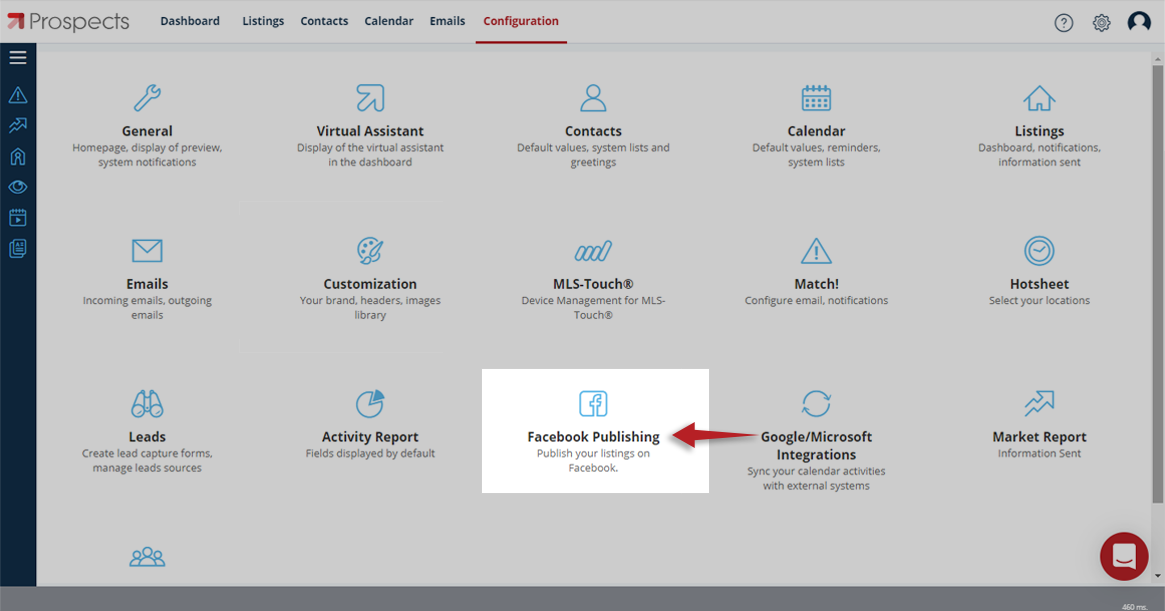
Click on Configuration (gear icon) in the top right of the dashboard.

Then choose Facebook Publishing.
Connect Your Facebook Account
Choose the Connect Facebook button from the pop-up window and when prompted, enter your Facebook login credentials and click Continue.

Specify which of your Facebook Business Pages you’d like to connect and click Next. Then, from the pop-up window grant Permission and click Done. You’ll see a confirmation window, click Ok and your Facebook account is now connected!

Select Your Business Page(s)
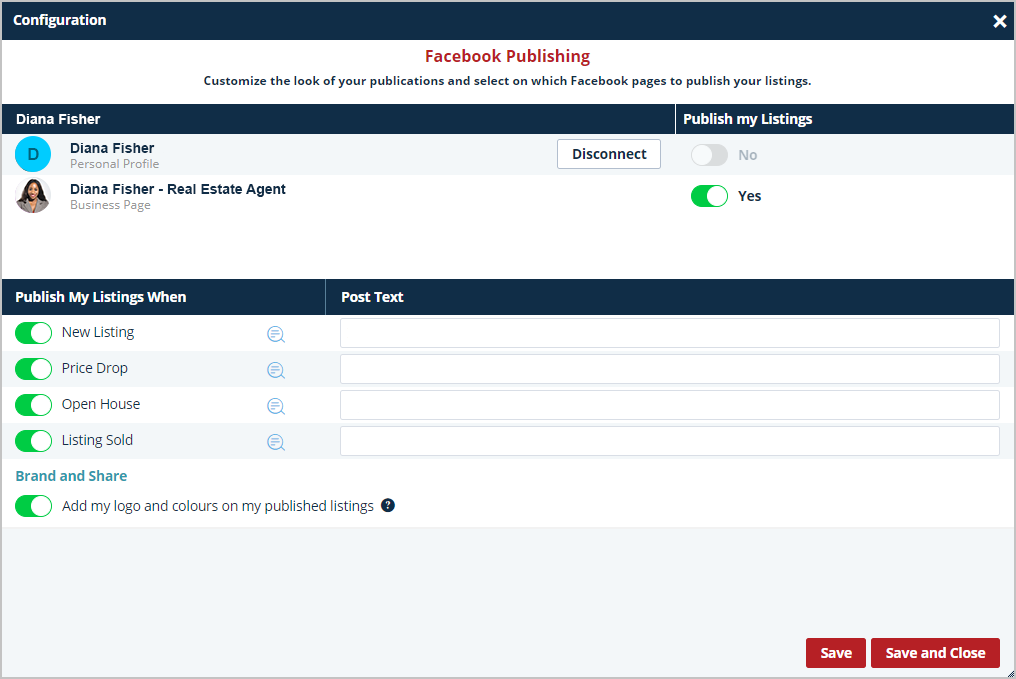
From the CRM Dashboard, click the Configuration (gear) icon and then choose Facebook Publishing. Select the Business Page you want to publish to, by switching the toggle button to Yes.

Activate Your Branding
Activate your branding by switching the toggle button to On (green) next to Add my logo and colors on my published listings.

Choose When to Publish Your Listings
Choose which stage of the life cycle you want to publish to Facebook by switching the toggle button to On (green).
Add a Caption
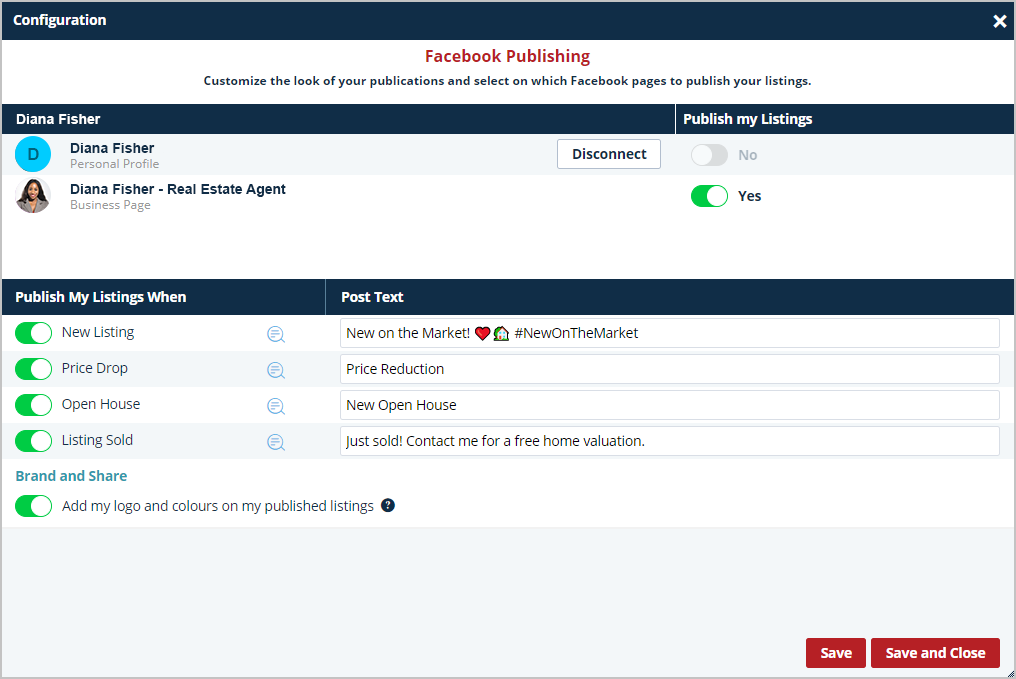
Under the heading Post Text, you can add a Caption to each of the sales stages you publish. Don’t forget to use #hashtags and emojis!
Preview
Preview your choices by clicking the Preview icon next to the sales stage you’re publishing and click Save and Close when you’re done!

Customize your post by heading over to your Facebook page and clicking the three dots in the top right-hand corner. Then choose Edit Post and add any special details you’d like to include.

Work smarter, not harder! Read the article on setting up your Virtual Assistant from the Getting Started Collection to learn more.
Need a Little Help?
If you’d like a little extra assistance with any of the Prospects CRM features, our Customer Support team is ready to help. Contact us at support@prospects.com.