
Never miss a meeting or an important event again. Prospects CRM is seamlessly integrated with Google and Microsoft calendars. In a couple of clicks you can connect your account and your calendar items will start syncing – two way – immediately!
Activate the Calendar Sync Feature
Before you can start syncing your calendar events, you’ll need to contact our Customer Support team to have the feature enabled.
- 1.888.765.9221
- support@prospects.com
- Or use the Chat option in the bottom right corner of your CRM

Connect Your Account
Once you've received confirmation from our Support team that the feature has been enabled for you:
- Go back to Configuration -> Google/Microsoft Integrations
- Click the Connect Your Account Now button
- Sign in with your Google or Microsoft Account

Grant Permissions
You'll need to grant Prospects CRM permission to access, download, edit, and synchronize your Google/Microsoft calendar events. Click Allow/Yes to proceed.

Integration Enabled
When permission is granted, you’ll see a confirmation message that the integration is enabled.

You’re All Set!
Your calendar events will start syncing automatically and instantly show in your CRM calendar. After the initial sync, you can continue to add or update your calendar items from either platform and they’ll always be available in both places.
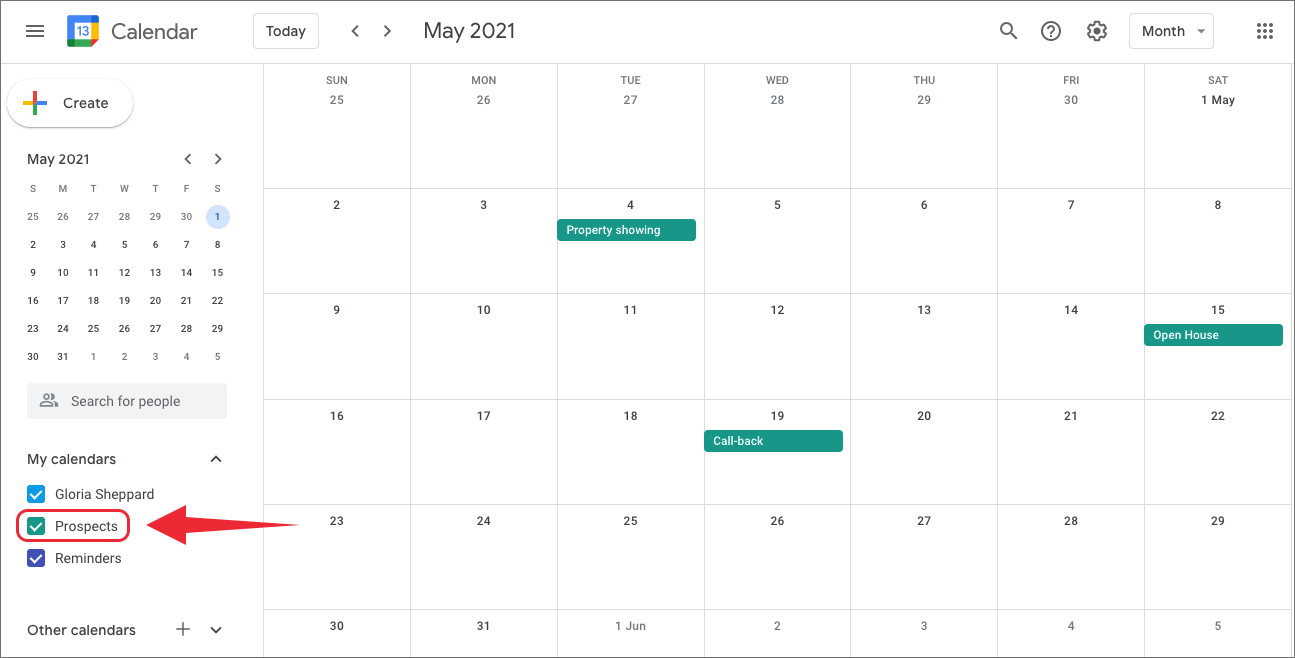
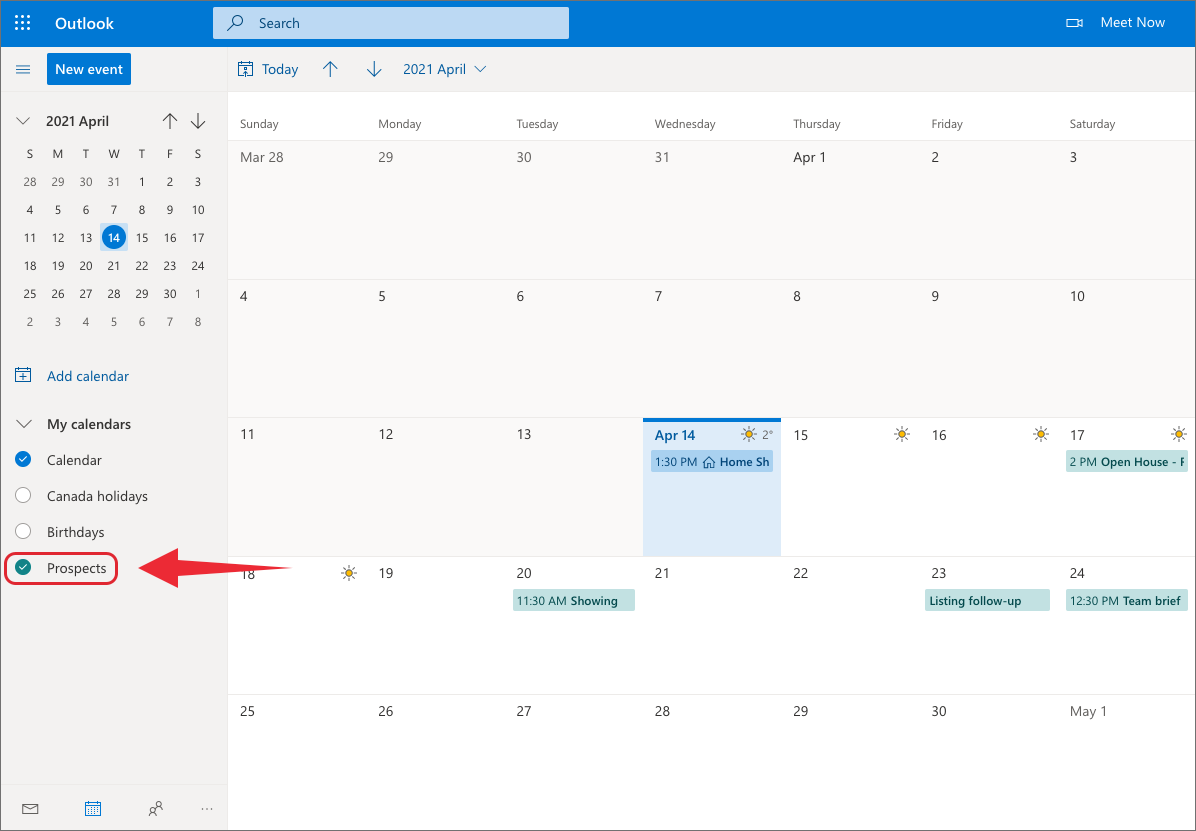
In order to see your Prospects calendar items in your Google or Microsoft calendar, go to “My Calendars”. You’ll see that Prospects has been added to your list of calendars. Simply check the button and the events will be visible.
Add Prospects to “My Calendars” in Google
Add Prospects to “My Calendars” in Microsoft
Do you have a Facebook Business Page? You may be interested in the article Connect Your Facebook Business Page or feel free to browse some of the other articles on our Help Center.
Need a Hand?
If you would like assistance with any of the Prospects CRM features, our Customer Support team is ready to help. Contact us at support@prospects.com.